CapCut has become one of the most popular video-editing apps because it combines powerful editing tools with an easy-to-use interface. From automatic captions and templates to transitions, filters, effects, and AI-powered features, CapCut gives beginners and experienced creators many of the tools they need to produce social-media content quickly.
However, CapCut is not the only option. Several competing video-editing apps offer specialized features that can make them better choices for particular creators, especially those who want advanced editing controls, professional workflows, AI tools, or a different approach to mobile video production. If you’re looking for apps that can challenge CapCut—or potentially outperform it for your specific needs—here are five worth considering.
1. VN Video Editor
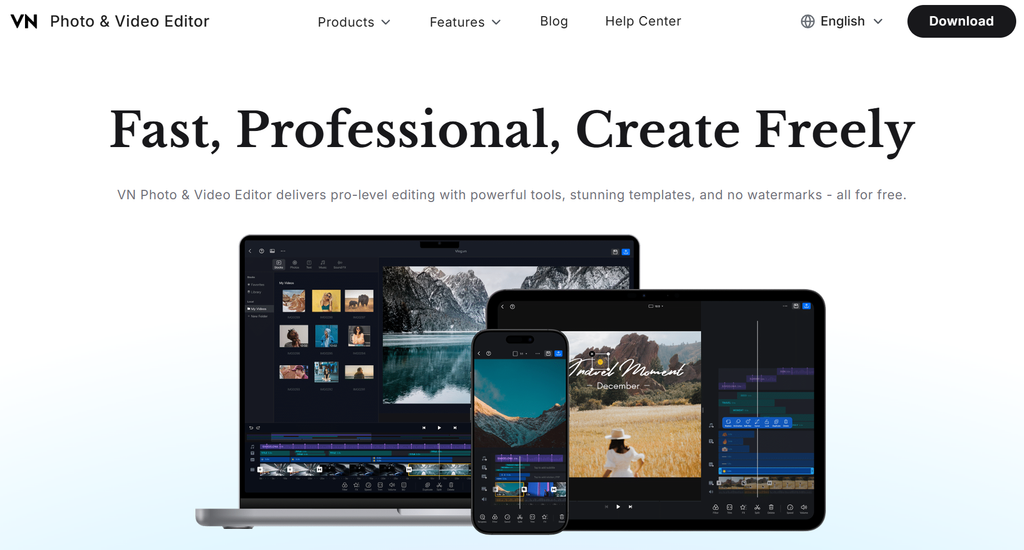
VN Video Editor is one of the strongest alternatives to CapCut for creators who want a professional-looking editing experience without an overly complicated interface. It provides a multi-track timeline, keyframe animation, speed controls, transitions, filters, text tools, and other features commonly found in more advanced editors.
One of VN’s biggest advantages is its timeline-based workflow. Users can work with multiple video, audio, and overlay tracks, giving them greater control over how different elements interact.
VN is particularly useful for YouTubers, vloggers, short-form creators, and beginners who are moving beyond basic template-based editing. It also provides a relatively clean editing environment, making it easier to focus on the actual project.
Best for: Creators who want CapCut-like simplicity with more traditional timeline editing.
2. InShot
InShot is another popular mobile video editor that focuses heavily on simplicity and social-media content. Instead of overwhelming users with dozens of professional controls, it makes common editing tasks easy to access.
The app supports video trimming, splitting, merging, speed adjustment, music, sound effects, stickers, text, filters, transitions, and canvas resizing. This makes it particularly convenient for Instagram Reels, TikTok-style videos, YouTube Shorts, and other vertical content.
InShot is also useful for creators who frequently need to convert existing videos into different aspect ratios. A creator can quickly prepare content for vertical, square, or landscape platforms without learning a complicated editing workflow.
Best for: Social-media creators who prioritize speed and simplicity.
3. Adobe Premiere Rush
Adobe Premiere Rush takes a different approach by bringing elements of Adobe’s professional editing ecosystem into a simpler workflow. It is designed for creators who want more control than a basic mobile editor provides but don’t necessarily need the full complexity of professional desktop editing software.
Users can arrange video and audio clips on a timeline, adjust colors, add titles, control audio, and export content for different platforms. Its connection to the broader Adobe ecosystem can also be valuable for creators who already use Adobe products.
For someone building a serious content-creation workflow, Premiere Rush can be an attractive option because it provides a bridge between simple mobile editing and more professional video-production software.
Best for: Creators who want an Adobe-based workflow across devices.
4. KineMaster
KineMaster is aimed at users who want deeper editing controls on a mobile device. It provides multi-layer video editing, chroma key, blending modes, keyframe animation, audio tools, transitions, and a wide range of creative effects.
Its layer-based approach makes it suitable for projects that require more than simply placing clips one after another. For example, creators can combine video layers, images, text, graphics, and other elements to create more complex compositions.
KineMaster can therefore be a strong alternative for educational videos, gaming content, YouTube videos, promotional videos, and social-media projects where detailed control is important.
Best for: Intermediate creators who want advanced mobile editing features.
5. DaVinci Resolve
DaVinci Resolve is the most professional option on this list. While CapCut is primarily designed for fast and accessible content creation, DaVinci Resolve is built for serious video production and is widely used for editing, color correction, visual effects, motion graphics, and audio post-production.
Its major advantage is depth. Users can perform detailed color grading, advanced audio editing, professional video editing, and visual-effects work within one application.
The trade-off is complexity. Beginners may find DaVinci Resolve considerably harder to learn than CapCut. However, creators who are serious about developing professional editing skills may eventually benefit from learning it.
Best for: Professional editors, filmmakers, YouTubers, and creators who want maximum control.
CapCut Alternatives at a Glance
| App | Best For | Difficulty | Major Strength |
|---|---|---|---|
| VN Video Editor | YouTube & social creators | Easy–Intermediate | Multi-track editing |
| InShot | Short-form content | Easy | Fast social-media editing |
| Adobe Premiere Rush | Cross-device creators | Intermediate | Adobe ecosystem |
| KineMaster | Advanced mobile editing | Intermediate | Layers and effects |
| DaVinci Resolve | Professional production | Advanced | Editing, color & audio |
Which App Is Better Than CapCut?
There isn’t one universal winner because the best video editor depends on what you are trying to create.
If you want something simple and fast, InShot can be an excellent choice. If you want a more traditional editing timeline without jumping immediately into professional software, VN Video Editor is worth considering. KineMaster is better suited to creators who want detailed layer-based editing on mobile devices.
For creators already working with Adobe products, Premiere Rush can provide a convenient ecosystem. Meanwhile, DaVinci Resolve is the strongest choice for someone who wants to develop professional video-editing skills and work on complex projects.
Final Verdict
CapCut remains a powerful option, particularly for creators who want to produce short-form videos quickly. However, choosing a video editor shouldn’t be based solely on popularity. Different apps excel in different areas, and an alternative may actually be a better fit depending on your editing style, experience, and content goals.
For beginners, VN and InShot are excellent places to start. For more advanced mobile editing, KineMaster offers additional control. Premiere Rush is worth considering for Adobe users, while DaVinci Resolve is the strongest choice for creators who want to move toward professional video production.
Ultimately, the app that helps you create better videos, work faster, and develop your editing skills is the one that can truly “outrank” CapCut for your needs.