
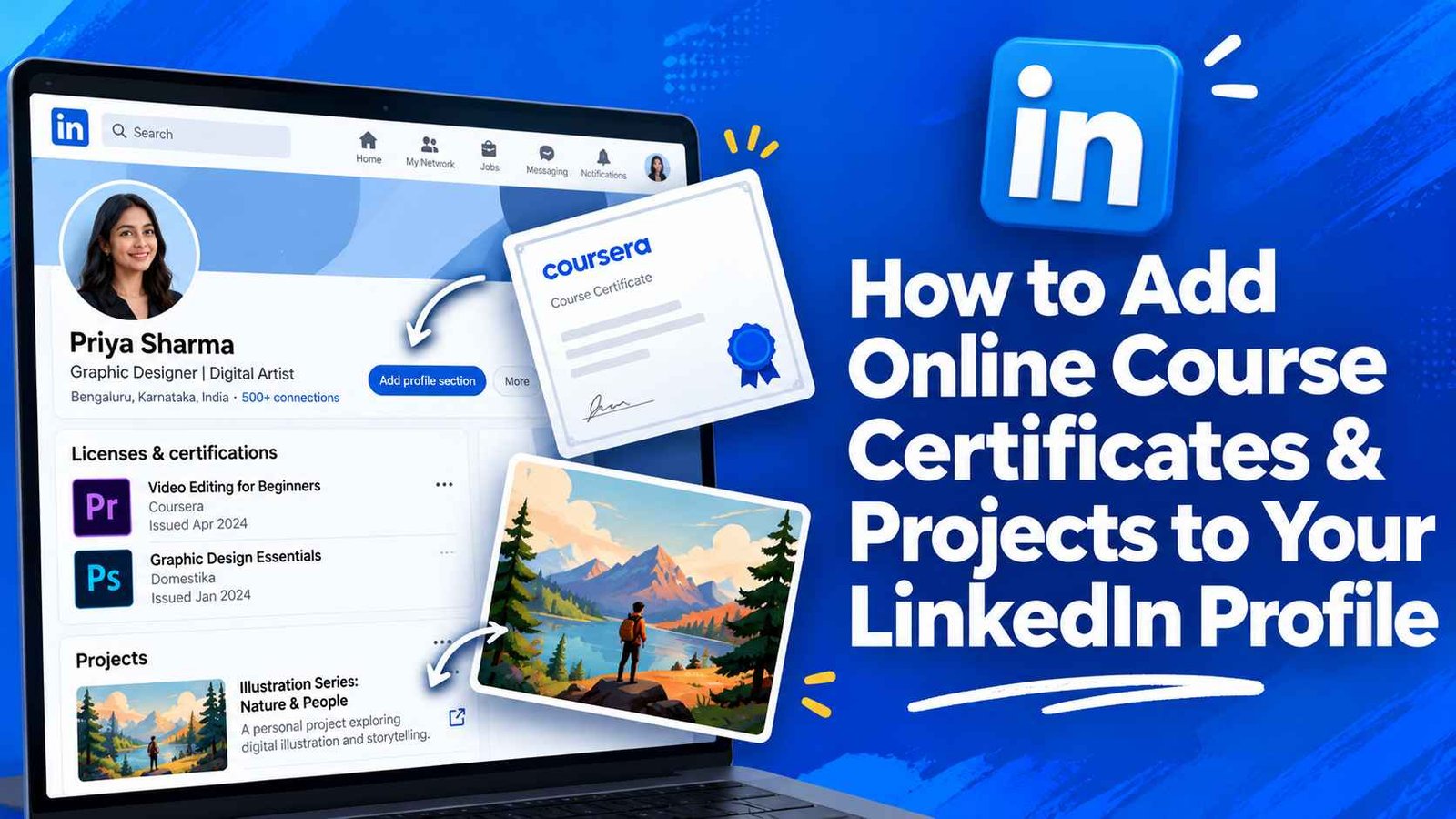
Completing an online certification or capstone project demonstrates continuous learning, but leaving those accomplishments tucked away in a PDF folder does nothing for your career visibility. When recruiters scan your profile, they look for verifiable credentials and tangible proof of what you can build. Knowing how to add online course certificates & projects to your LinkedIn profile transforms passive credential badges into dynamic conversion points that capture hiring managers’ attention.
A well-structured profile highlights not only where you studied, but also the real-world business problems you solved along the way. Placing these assets in the right profile sections ensures applicant tracking systems (ATS) and recruiters index your emerging technical skills accurately.
Why LinkedIn Placement Dictates Credential Visibility
Dropping every certificate into a single text post pushes your accomplishment down the activity feed within forty-eight hours. While celebratory announcement posts generate quick engagement from peers, permanent profile sections deliver long-term discoverability. Technical recruiters search for specific industry skills, tools, and accredited providers using LinkedIn Recruiter filters.
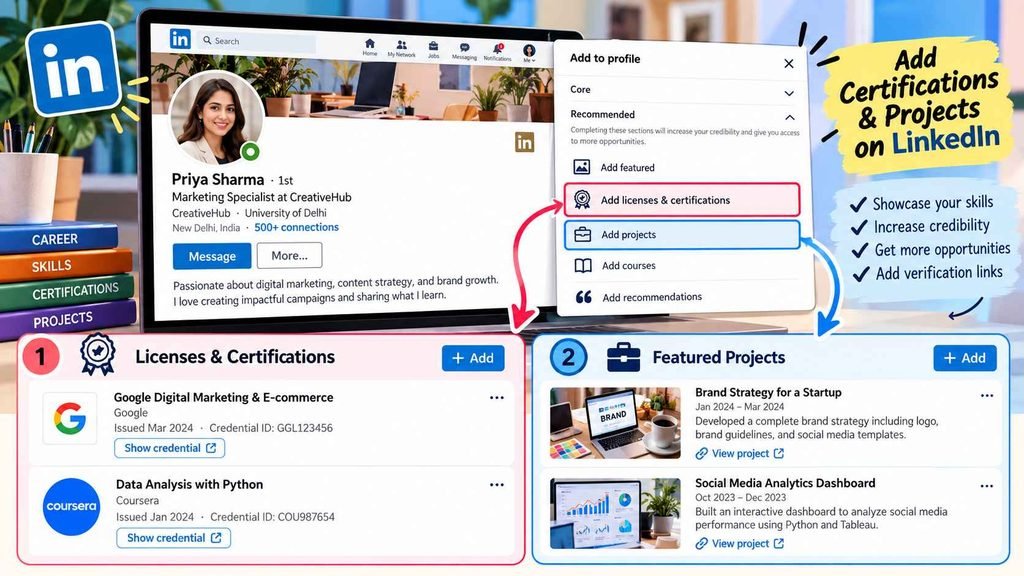
Positioning your coursework in the dedicated “Licenses & Certifications” and “Projects” sections anchors your credentials to your searchable profile data. If you are exploring the best online course platforms to upskill, setting up your profile framework in advance ensures your new credentials produce immediate professional momentum.
Pairing certificates with visible project artifacts also validates your self-directed education. If you are comparing programs like the Google Data Analytics Certificate vs. IBM Data Analyst Certificate, recruiters evaluate the depth of your portfolio repository just as closely as the certificate badge itself.
Step-by-Step: Adding Online Course Certificates
Adding a certificate takes less than two minutes when you have your completion metadata prepared. Follow these sequential steps to ensure your credential renders with an official organization logo and clickable verification link.
1. Access the Add Profile Section Menu
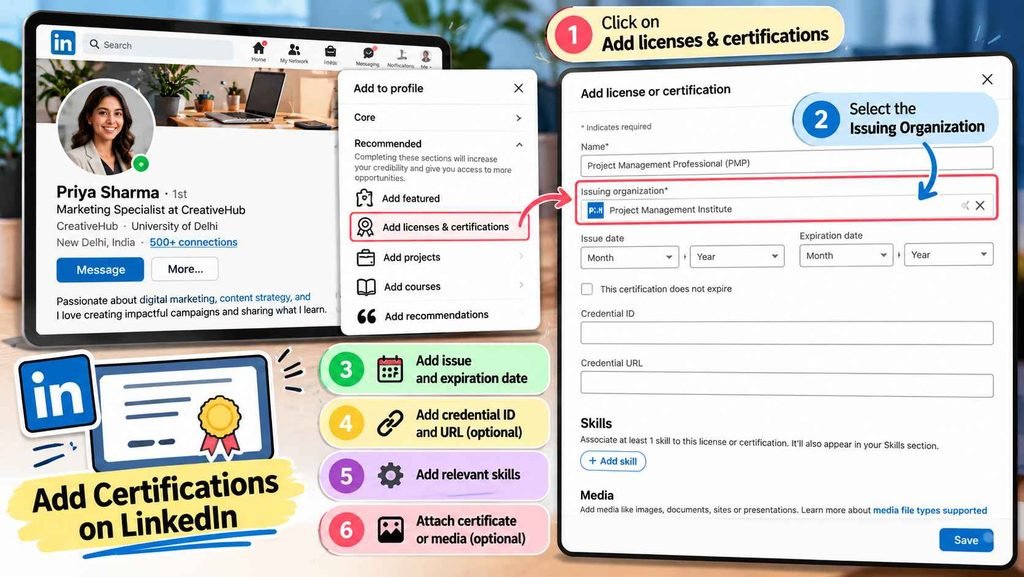
Navigate to your LinkedIn profile page and click the Add profile section button located in your introduction card. Expand the Recommended dropdown menu and select Add licenses & certifications. If you already have existing certificates, scroll directly to your “Licenses & Certifications” section and click the plus (+) icon.
2. Enter Accurate Credential Metadata
Fill out the entry fields methodically to prevent verification errors:
- Name: Enter the exact title of the certification (for example, Google Data Analytics Professional Certificate).
- Issuing Organization: Begin typing the platform or university name (such as Coursera, edX, or Google). Select the verified company page from LinkedIn’s dropdown menu so the institution’s official logo displays on your profile.
- Issue Date & Expiration: Select the month and year you completed the course. If the credential does not expire, leave the expiration box unchecked.
- Credential ID: Paste the unique alphanumeric verification code provided on your digital certificate.
- Credential URL: Paste the public verification link where employers can confirm certificate authenticity.
Step-by-Step: Showcasing Practical Projects for Maximum Impact
A certificate proves you consumed course material, but a project proves you can apply the concepts to real data, code, or design challenges. LinkedIn provides two high-impact areas for project work: the Featured section and the dedicated Projects module.
1. Pinning Case Studies to the Featured Section
Your Featured section sits directly beneath your “About” summary, making it prime visual real estate. Click Add profile section, select Recommended, and click Add featured.
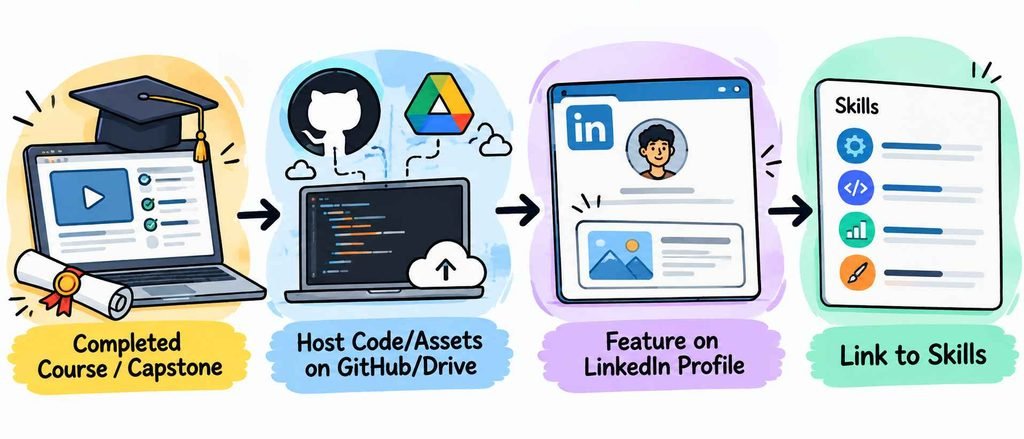
Choose Add a link or Add media, paste the URL of your live project demo, GitHub repository, or presentation slide deck, and upload a clean preview thumbnail. Write a concise, two-sentence description highlighting the core metric, toolstack, and outcome of the initiative.
2. Adding Granular Entries to the Projects Section
For comprehensive portfolio work, click Add profile section, expand the Additional category, and select Add projects.
Name the project clearly, indicate the dates worked, and link the entry directly to your current role, educational background, or certification. In the description box, outline your technical stack, your specific contribution, and the final results achieved. If you are evaluating credentials like determining if the Google Project Management Certificate is worth it for beginners, featuring your finished project charter here demonstrates practical mastery.
LinkedIn Profile Placement: Certificates vs. Projects
| Feature / Criteria | Licenses & Certifications | Featured Section | Projects Section |
| Primary Goal | Formal verification & keyword search | Visual storytelling & immediate eye-catch | In-depth technical breakdown |
| Visual Media Support | Platform logo only | Rich preview images, PDFs, & links | External hyperlink only |
| Search Indexing | Indexed by recruiter search filters | Browsed during manual profile review | Matches keyword searches |
| Best Asset Type | Accredited courses & vendor exams | Capstone projects, dashboards, pitch decks | Collaborative code bases & client briefs |
| Profile Position | Mid-profile section | Top-profile (below About summary) | Lower-profile (under Background) |
Writing High-Converting Project Descriptions
Avoid writing generic descriptions that read like textbook syllabus summaries. Hiring managers want to see how you think through constraints, select tools, and measure performance.
Frame your project narrative using a compact problem-action-result structure:
- The Problem: State the business objective or operational bottleneck you targeted.
- The Action: Detail the software, coding languages, frameworks, or methodologies you applied to solve it.
- The Result: Highlight measurable outcomes, such as query optimization speed, cost reductions, or user interaction insights.
Tag relevant technical skills directly to the project entry so they populate into your global “Skills” section automatically. This cross-linking signals algorithmic relevance across LinkedIn’s candidate matching systems.
Frequently Asked Questions
Should I add free online course certificates to my LinkedIn profile?
Yes, provided the coursework is relevant to your target industry and covers substantial technical skills. Focus on curated, reputable courses with verifiable capstone projects rather than introductory micro-webinars.
What should I do if my course certificate does not have a Credential ID?
Leave the Credential ID field blank and provide the direct URL to your digital badge or verified public profile page. Many independent platforms issue sharable completion links without dedicated alphanumeric license IDs.
How many projects should I display on my LinkedIn profile?
Aim to highlight two to four high-quality, comprehensive projects rather than dozens of minor class exercises. Prioritize capstone pieces that demonstrate independent problem-solving and clean documentation.
Build a Standout LinkedIn Presence
Documenting your continuous learning sets you apart from candidates who rely solely on static resume bullet points. By organizing your credentials into verifiable certifications and pairing them with measurable, visually engaging project breakdowns, you build immediate credibility with recruiters and hiring teams. Take fifteen minutes today to gather your completion links, populate your licenses, feature your strongest capstone case study, and turn your profile into an active career asset.