
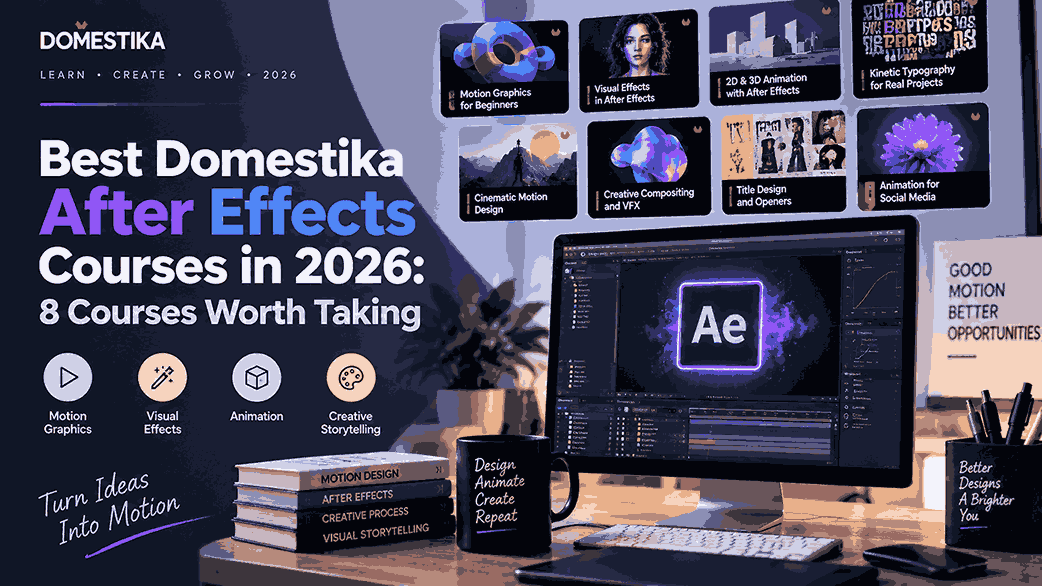
Adobe After Effects is one of the most useful tools for motion graphics, animation, visual effects, kinetic typography, and animated design. But choosing the right course can be difficult because Domestika has courses aimed at very different skill levels and creative goals.
Some courses teach After Effects from the beginning, while others focus specifically on character animation, 3D effects, typography, or frame-by-frame animation.
To make the choice easier, I compared Domestika’s current After Effects selection by skill level, project focus, specialization, course depth, and practical usefulness.
Quick answer: If you are completely new to After Effects, start with Introduction to After Effects by Carlos “Zenzuke” Albarrán. If you already understand the software, Advanced After Effects is the stronger next step. For specialized skills, Vectorial Animation Frame by Frame Style with After Effects, Animation Techniques with 3D Effects in After Effects, and Expressive Typography in Motion with After Effects are particularly interesting options. Domestika currently lists a dedicated After Effects category with beginner, advanced, animation, motion-design, and specialized courses.
Best Domestika After Effects Courses at a Glance
| Course | Best for | Level | Approx. length |
|---|---|---|---|
| Introduction to After Effects | Complete beginners | Beginner | 14h 2m |
| Adobe After Effects for Beginners | Beginners wanting a structured path | Beginner | Multi-course |
| Fundamentals of Animation in After Effects | Learning animation fundamentals | Beginner | 2h 52m |
| Advanced After Effects | Intermediate/advanced users | Advanced | 17h 14m |
| Animation and Design of Characters in After Effects | Character animation | Beginner | 3h 31m |
| Animation Techniques with 3D Effects | 3D-style motion effects | Intermediate | 4h 27m |
| Vectorial Animation Frame by Frame Style | Handcrafted/frame-by-frame animation | Intermediate | 7h 27m |
| Expressive Typography in Motion | Kinetic typography | Beginner | 2h 32m |
Course details and availability can change, so check the official Domestika course page before purchasing.
1. Introduction to After Effects — Best Overall for Beginners
Introduction to After Effects — Domestika
Instructor: Carlos “Zenzuke” Albarrán
Level: Beginner
Format: Domestika Basics, 5 courses
Length: 61 lessons, about 14 hours 2 minutes
If you have never used After Effects before, this is the course I would put at the top of your list.
The course is designed to take learners from the interface and basic workflow through increasingly advanced animation techniques. The five-course Domestika Basics path covers topics including masks and layers, text animation, expressions, 3D space, cameras and lights, and more advanced motion-graphics techniques.
That makes it more than a short software introduction. You get a progressive learning path rather than having to jump between unrelated tutorials.
Best for: Complete beginners, graphic designers moving into motion, and learners who want one comprehensive starting point.
Why choose it: It combines software fundamentals with actual animation techniques and projects.
Potential drawback: At more than 14 hours, it is considerably longer than Domestika’s specialized After Effects courses.
2. Adobe After Effects for Beginners — Best Structured Beginner Path
Adobe After Effects for Beginners — Domestika
Instructor: Manuel Neto
Level: Beginner
Format: Domestika Basics, 6 courses
Rating shown by Domestika: 99% positive reviews
This is another strong choice if your priority is learning After Effects systematically.
Manuel Neto’s Domestika Basics program is built around using After Effects for post-production effects, motion graphics, and 3D animation. Domestika currently lists it as a six-course learning path.
It is particularly appealing if you do not want a narrowly focused course. Instead, you want to develop a broader understanding of what the software can do.
Best for: Beginners who want a multi-course learning path.
Choose this over Introduction to After Effects if: You prefer Manuel Neto’s teaching style or want a different structured approach to learning the software.
3. Fundamentals of Animation in After Effects — Best for Learning Animation Principles
Fundamentals of Animation in After Effects — Domestika
Instructor: Michael Tierney
Level: Beginner
Length: 18 lessons, 2h 52m
Reviews: 99% positive reviews shown by Domestika
Not everyone needs a 14-hour software course.
If you already know your way around After Effects but want to understand animation and motion graphics fundamentals, this shorter course can make more sense.
Domestika lists the course at 18 lessons and about 2 hours 52 minutes, with 45 additional resources.
The course is particularly useful for someone who wants to move beyond simply learning where buttons are located and start thinking about animation as a design discipline.
Best for: Beginners interested specifically in animation and motion graphics.
Not ideal for: Someone looking for a complete, software-from-zero curriculum.
4. Advanced After Effects — Best for Taking Your Skills Further
Advanced After Effects — Domestika
Instructor: Carlos “Zenzuke” Albarrán
Level: Advanced
Format: Domestika Basics, 5 courses
Length: 68 lessons, about 17h 14m
Once you understand the fundamentals, you may eventually reach the point where basic tutorials stop being useful.
That’s where Advanced After Effects becomes more relevant.
Domestika currently lists this as a five-course, 17-hour-plus learning path with 68 lessons and more than 100 downloads/resources. It is marked as an advanced-level course.
It is best viewed as a continuation of the broader After Effects learning journey rather than a beginner introduction.
Best for: Motion designers and experienced After Effects users who want deeper techniques.
Skip it if: You are still learning layers, keyframes, masks, and basic compositions.
5. Animation and Design of Characters in After Effects — Best for Character Animation
Animation and Design of Characters in After Effects — Domestika
Instructor: Moncho Massé
Level: Beginner
Length: 22 lessons, 3h 31m
If your goal is to animate illustrated characters rather than create generic motion graphics, this is one of the most targeted choices.
The course teaches the basics of After Effects and then moves into character design, rigging, and animated loops. The final project involves creating a story in GIF format with characters and two infinite-loop animations.
You also learn techniques involving null objects, masks, paths, and parenting layers for character movement and facial expressions.
Best for: Illustrators, character designers, and aspiring 2D animators.
A major advantage: You can start without previous After Effects knowledge.
6. Animation Techniques with 3D Effects in After Effects — Best for 3D-Style Motion
Animation Techniques with 3D Effects in After Effects — Domestika
Instructor: Moncho Massé
Level: Intermediate
Length: 23 lessons, 4h 27m
Want to give a 2D animation the appearance of depth without moving into a full 3D package?
This course focuses on exactly that problem.
Domestika describes the approach as “false 3D”, using After Effects techniques to create volume and three-dimensional effects. The course contains 23 lessons, nine exercises, and a final project.
It is a particularly useful option after learning basic animation because it focuses on a specific visual skill rather than repeating beginner software lessons.
Best for: Motion designers, illustrators, and animators who want more depth in their work.
Recommended prerequisite: Basic familiarity with After Effects will make the course easier to follow.
7. Vectorial Animation Frame by Frame Style with After Effects — Best for Handcrafted Animation
Vectorial Animation Frame by Frame Style with After Effects — Domestika
Instructor: Pablo Cuello
Level: Intermediate
Length: 41 lessons, 7h 27m
This is one of the more distinctive choices on the list.
Rather than focusing simply on polished corporate motion graphics, Pablo Cuello’s course explores a frame-by-frame-style vector animation workflow designed to create animation with personality and a handcrafted feel.
Domestika lists 41 lessons, 13 exercises, 20 downloads, and a final project. Basic After Effects knowledge is recommended, while drawing experience is helpful but not mandatory.
Best for: Illustrators and animators who want expressive 2D character animation.
You will need: After Effects, a drawing application such as Photoshop or Illustrator, and a graphics tablet.
8. Expressive Typography in Motion with After Effects — Best for Kinetic Typography
Expressive Typography in Motion with After Effects — Domestika
Instructor: Mat Voyce
Level: Beginner
Length: 15 lessons, 2h 32m
Typography does not have to stay still.
This course focuses on turning letterforms into animated visual elements. The final project is an animation built around a phrase and typography design. Domestika lists it as a beginner course with 15 lessons and about 2 hours 32 minutes of content.
Basic After Effects and Illustrator knowledge is recommended.
Best for: Graphic designers, lettering artists, social-media creators, and anyone interested in kinetic typography.
Which Domestika After Effects Course Should You Choose?
Your best choice depends more on your current skill level and intended output than on the course rating alone.
| If your goal is… | Start with… |
|---|---|
| Learn After Effects from zero | Introduction to After Effects |
| Follow a structured beginner program | Adobe After Effects for Beginners |
| Learn animation fundamentals quickly | Fundamentals of Animation in After Effects |
| Become more advanced | Advanced After Effects |
| Animate illustrated characters | Animation and Design of Characters |
| Create 3D-style effects | Animation Techniques with 3D Effects |
| Make handcrafted frame-by-frame animation | Vectorial Animation Frame by Frame Style |
| Animate lettering and typography | Expressive Typography in Motion |
How to Choose the Right After Effects Course
Before buying, ask yourself three questions.
1. Do you know After Effects already?
If the answer is no, choose a beginner-focused course. Starting with an advanced motion-design class can make the learning process unnecessarily frustrating.
2. What do you want to create?
For example, character animation calls for a different curriculum than kinetic typography. Pick the course based on your intended projects rather than simply choosing the course with the highest rating.
3. Do you need breadth or specialization?
A Domestika Basics program is useful when you want broad software knowledge. A shorter specialized course is better when you already know the basics and want to develop one particular skill.
Also check the current course page for software requirements, language availability, course level, and access conditions before purchasing.
Are Domestika After Effects Courses Worth It?
For learners who prefer project-based creative courses, Domestika’s After Effects catalog is worth considering.
One of its biggest strengths is variety. You can start with a comprehensive beginner program and later move into character animation, typography, 3D-style effects, or frame-by-frame animation instead of taking the same generic After Effects course repeatedly.
The main limitation is that specialized courses are not substitutes for learning the entire application. A typography course, for example, will not necessarily teach everything you need for professional compositing or visual effects.
The best strategy is therefore to build a learning path: learn the software fundamentals first, then choose a specialization based on the type of work you want to create.
Final Verdict
For most complete beginners, Introduction to After Effects by Carlos “Zenzuke” Albarrán is the strongest starting point because it provides a substantial, progressive introduction to the software.
If you want a different comprehensive beginner route, Adobe After Effects for Beginners is another strong option. Once you understand the basics, Advanced After Effects can take your technical knowledge further.
For specialized creative skills, choose according to your goal: Moncho Massé for character or 3D-style animation, Pablo Cuello for handcrafted vector animation, and Mat Voyce for expressive kinetic typography.
Rather than buying several courses immediately, start with the one that matches the project you actually want to create. That approach is more likely to turn an After Effects course into a usable skill rather than another unfinished course in your library.